How to Remove Your Home Address From Google (and Where It Comes From)
Your home address is one search away. Here's how to hide it from Google Search with Results about you, and remove it from people-search sites for good.

Key takeaways
- People-search sites like Whitepages, Intelius and PeopleFinders show your home address, birthday and relatives list when someone searches your name. According to Consumer Reports (2024), they pull this from public records like home sales, marriages and lawsuits, plus social media.
- Google's free Results about you tool hides search results showing your address, phone or email. In the Google app, tap your profile photo, Results about you, add your details, then tap Request to remove on each match. It hides the result from Google Search, not the page itself.
- To remove your address from the source, opt out of each people-search site using its official form. Consumer Reports' 2024 study found manual opt-outs removed about 70% of profiles. California residents can use DROP to send one free deletion request to more than 600 brokers.
Last checked: Oct 29, 2026. Based on Consumer Reports (Aug 2024), CalPrivacy (Aug 2026), and Google Search Help (2026).
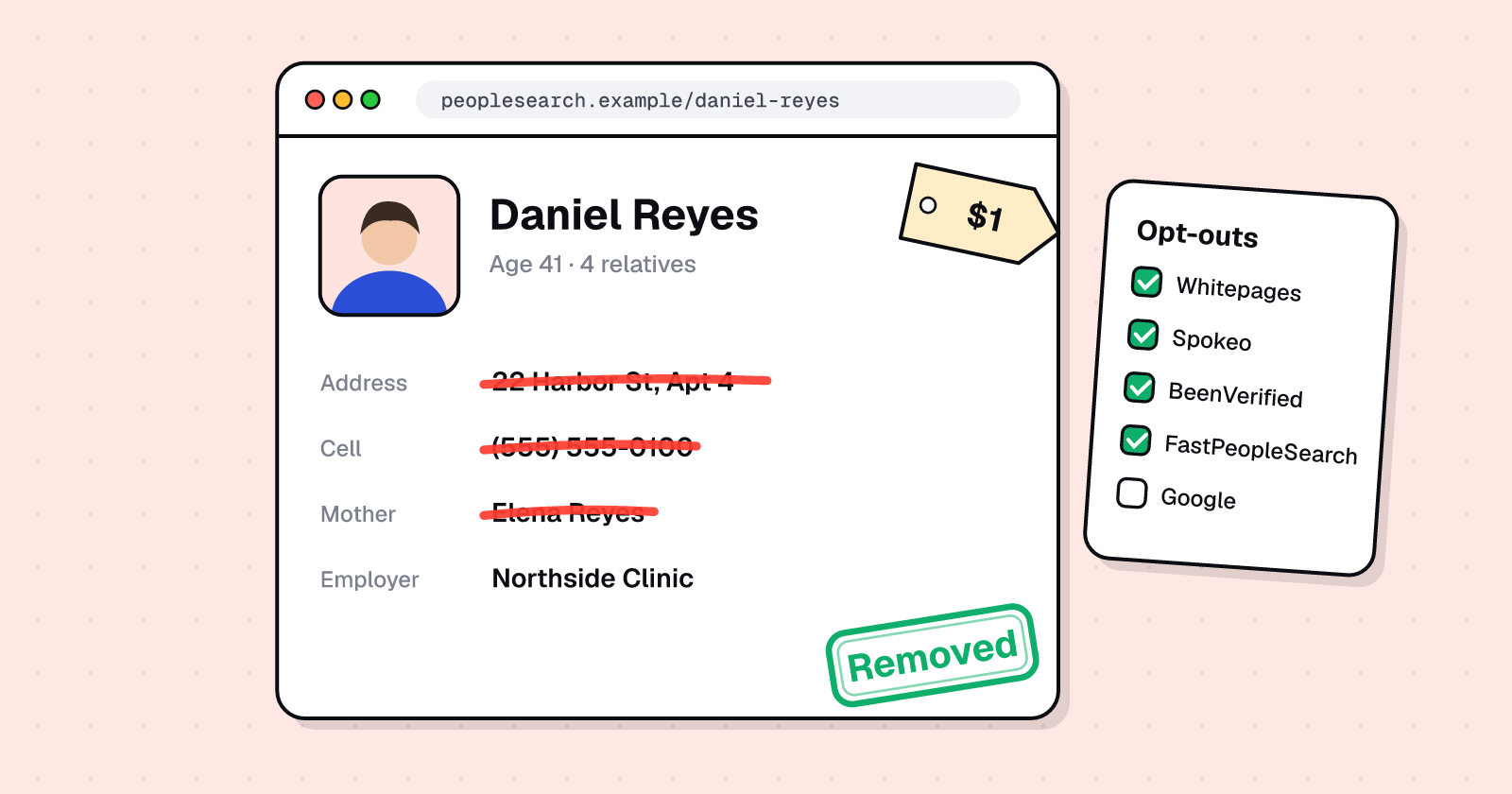
Type your name into a search engine. Chances are, sites like Whitepages, Intelius and PeopleFinders will show your birthday, home address, marital status and a list of your relatives. Nobody hacked you. Much of this information is drawn from public records and social media profiles, according to Consumer Reports (Aug 8, 2024), by pulling it together in one place.
The scale is striking. When more than 500,000 Californians signed up for the state's free deletion platform in 2026, 99.9% of them had their profile deleted by at least one data broker, and the typical California DROP user had their information removed by over 40 brokers (CalPrivacy, Aug 25, 2026).
You can hide your address from Google Search with one free tool, and remove it from people-search sites by opting out one by one. Here's how.
Watch: How did a stranger get your address?
This video explains how people-search sites build your profile and what you can do about it.
Where people-search sites get your address
Nobody needs to hack you to find your home address. People-search sites collect it from:
- Public records, including real estate transactions, marriages, divorces, lawsuits, bankruptcies and arrests (Consumer Reports, 2024)
- Social media profiles, where you or others have shared your location, workplace or life events
- Data purchased from other brokers, who trade and resell the same records across hundreds of sites
According to Consumer Reports (Aug 8, 2024), "Just type your name into a search engine, and websites like Intelius, PeopleFinders, and Whitepages will display your birthday, home address, marital status, a list of your relatives, and more." Paid reports add even more detail from the same public sources.
The key fact: opting out doesn't erase the underlying public records. Those still exist at the courthouse or county recorder. What it does is stop that site from showing and selling your assembled profile.
How to hide your address from Google Search
Google doesn't host people-search listings, but it's where most people find them. Removing the search result cuts off the easiest path to your address while you work on the source sites.
Step 1: Open Results about you
Google's free Results about you tool monitors Google Search for your home address, phone number, email and government ID numbers. Over 10 million people have used it (Google, Feb 10, 2026).
In the Google app:
- Tap your profile photo or initial
- Tap Results about you
Some features are rolling out by country and are currently available for users over 18 in certain markets (Google Search Help, 2026).
Step 2: Add your details
Enter your name and the contact information you want to monitor:
- Your full legal name, plus nicknames if you use them
- Your current home address
- Your phone number
- Your email address
You can add government ID numbers like your Social Security number. Google also monitors for those.
Step 3: Turn on notifications
Turn on notifications so Google alerts you by email or in the Google app when new results appear. This saves you from having to search manually every few weeks.
Step 4: Request removal for each result
Google lists search results that show your contact details. On each one:
- Tap the result to expand it
- Tap Request to remove
- Follow the steps
Google reviews each request. It may keep results it considers valuable to the public, such as results from government websites, news outlets or business sites (Google Search Help, 2026).
What Results about you does and doesn't do
It does:
- Hide the search result from Google Search
- Alert you when new results appear
- Work for addresses, phone numbers, emails and ID numbers
It doesn't:
- Remove the page itself from the web
- Delete your information from other search engines like Bing or DuckDuckGo
- Stop the people-search site from listing you
According to Google (Feb 10, 2026), "Removing this information from Google Search doesn't remove it from the web entirely." To take down the listing itself, you need to opt out at each people-search site.
Full walkthrough: Our step-by-step guide, How to remove your address from Google, covers setup, troubleshooting and what Google won't remove.
How to remove your address from people-search sites
Every major people-search site has a free opt-out form. Most follow the same pattern: find your listing, copy its exact URL, paste it into the opt-out form, and confirm by email or phone.
The most effective sites to opt out of first
Start with these five. They rank highest in Google for name searches and are the most likely to expose your address:
| Site | Opt-out page | What you need | Time |
|---|---|---|---|
| Whitepages | whitepages.com/suppression-requests | Listing URL + phone verification (or web form / email) | Up to 2 business days |
| Spokeo | spokeo.com/optout | Listing URL + email | 24-48 hours |
| BeenVerified | beenverified.com/app/optout/search | Name search + email | Check current page |
| Intelius | suppression.peopleconnect.us | Email verification, then select your record | Not stated |
| PeopleFinders | Help article with form link | Online form or phone | Check current page |
Full removal walkthrough: Our pillar guide, How to remove your personal information from the internet, has step-by-step opt-out instructions for 15 major people-search sites, including TruePeopleSearch, FastPeopleSearch, Instant Checkmate, TruthFinder, Radaris, Nuwber and more.
We also have dedicated removal guides for the biggest sites:
- How to remove yourself from Whitepages
- How to remove yourself from Spokeo
- How to remove yourself from Intelius
- How to remove yourself from PeopleFinders
Before you start
Make a tracker. You'll need the exact URL of each listing when you opt out, so keep a simple spreadsheet:
| Site | Listing URL | Opted out | Confirmed | Re-check |
|---|---|---|---|---|
| Whitepages | whitepages.com/name/... | Oct 29 | Yes | Jan 29 |
| Spokeo | spokeo.com/Name-Name/... | Oct 29 | Waiting |
Use a separate email address. Most opt-outs send a confirmation link. A dedicated email for privacy requests keeps your main inbox out of more databases.
How effective are manual opt-outs?
In 2024, Consumer Reports and security firm Tall Poppy tested manual opt-outs against paid removal services with 32 volunteers across 13 people-search sites (Consumer Reports, Aug 8, 2024).
The findings:
- Manual opt-outs removed about 70% of profiles, and most worked within a week
- Paid removal services removed about 35% after four months (ranging from 4% to 68% depending on the service)
- Some sites made opting out harder with ID requirements or deceptive designs
The honest answer: doing it yourself takes more time up front, but it's more thorough.
California residents: use DROP
If you live in California, you have access to the strongest removal tool in the country.
DROP (the Delete Request and Opt-out Platform at privacy.ca.gov/drop) is a free state service created by California's Delete Act. It sends one deletion request to more than 600 registered data brokers.
How effective is DROP?
According to the California Privacy Protection Agency (CalPrivacy, Aug 25, 2026):
- More than 500,000 Californians have registered for DROP (launched Jan 1, 2026)
- 654 data brokers are now part of the system
- 99.9% of consumers have already had their profile deleted by at least one broker
- The typical California DROP user has had their information removed by over 40 brokers
- Sign-up "generally takes less than 10 minutes"
Since August 1, 2026, registered brokers must process DROP requests at least every 45 days.
What DROP covers
DROP is California-only and covers registered data brokers. You'll still need to:
- Use Google's Results about you to remove Google Search results
- Opt out of individual people-search sites not covered by DROP
- Re-check every few months, because listings can reappear
Full DROP walkthrough: California DROP: how to delete your data from 600+ brokers at once
Why your address comes back (and what to do about it)
Opting out stops a site from selling what it has now. It doesn't stop the site from collecting new information (Consumer Reports, 2024).
Your address can reappear when:
- You move and the new property sale becomes public record
- A relative's report lists you as an associate with your address
- The site buys a fresh batch of data from another broker
- You opted out of one listing but had several on the same site
Consumer Reports (2024) found that information can reappear on people-search sites, so experts suggest repeating opt-outs about twice a year.
A simple maintenance schedule
- Week 1: Set up Results about you, opt out of every site on your tracker, and file DROP if you're in California
- Day 30: Re-check every listing URL and re-submit any that are still live
- Day 90: Search your name on Google again and check DROP status
- Every 3-6 months: Repeat the full search, especially after a move or phone number change
- Ongoing: Keep Results about you notifications on so you're alerted to new results
The honest summary
Your home address is probably one search away right now. Type your name into a search engine and see for yourself.
You can't erase yourself from the internet, but you can make yourself much harder to find. Use Google's free Results about you tool to hide the search results. Opt out of Whitepages, Spokeo, BeenVerified, Intelius and PeopleFinders using their official forms. If you live in California, sign up for DROP and reach 600+ brokers at once.
Then put a re-check date on your calendar for three months from now, because listings come back.
UndoLeak erases your data from data brokers and keeps it off. Free scan.
Sources
- Consumer Reports (Scott Medintz), "Services That Delete Your Data From People-Search Sites Don't Work Very Well, Study Finds" (Aug 8, 2024): https://www.consumerreports.org/electronics/personal-information/services-that-delete-data-from-people-search-sites-review-a2705843415/
- California Privacy Protection Agency (CalPrivacy), "Half a Million Californians Have Signed up for DROP to Delete Their Personal Information From Data Brokers" (Aug 25, 2026): https://privacy.ca.gov/2026/08/half-a-million-californians-have-signed-up-for-drop-to-delete-their-personal-information-from-data-brokers/
- Google Search Help, "Find and remove personal info in Google Search results" (2026): https://support.google.com/websearch/answer/12719076
- Google blog, "Results about you update" (Feb 10, 2026): https://blog.google/products-and-platforms/products/search/results-about-you-government-id-numbers/
All addresses, phone numbers and personal details shown in the cover illustration are fictional. Not affiliated with Google, Consumer Reports, CalPrivacy or any organization mentioned.
Frequently asked questions
How do people-search sites get my home address?
They pull public records like property sales, marriages, divorces, lawsuits and bankruptcies, plus social media profiles, according to Consumer Reports (2024). Nobody hacked you. They're assembling information that's already public into one searchable page.
How do I remove my address from Google Search?
Use Google's free Results about you tool. In the Google app, tap your profile photo, then Results about you. Add your name and home address, turn on notifications, and tap Request to remove on each result. It hides the result from Google, not the page itself.
Does removing a result from Google delete my address from the website?
No. Google only hides the search result. The page stays online and can be found on other search engines or directly. To remove it completely, opt out at the people-search site itself.
How effective are manual opt-outs?
Consumer Reports' 2024 study tested 32 volunteers across 13 people-search sites. Manual opt-outs removed about 70% of profiles within a week, compared with about 35% for paid removal services after four months.
What is California DROP?
DROP (Delete Request and Opt-out Platform) is a free state tool for California residents. More than 500,000 Californians have signed up. According to CalPrivacy (August 2026), 99.9% of users had their profile deleted by at least one broker, and the typical user by over 40 brokers out of 654 registered.
Will my address come back after I opt out?
It can. Opting out removes what the site has now, but sites keep collecting new records from public sources and data purchases. Consumer Reports suggests repeating opt-outs about twice a year.
undoleak Team